

I wanted to make sure the process of booking your appointment at House of Glo was as clear as possible for all my lovely patients. When you need to get a bit of TLC done, the last thing you want to worry about is trying to figure out how to book without clear instructions.
This is just a simple walk through of how booking online works, so you can take your time and feel confident you’re doing the right thing.
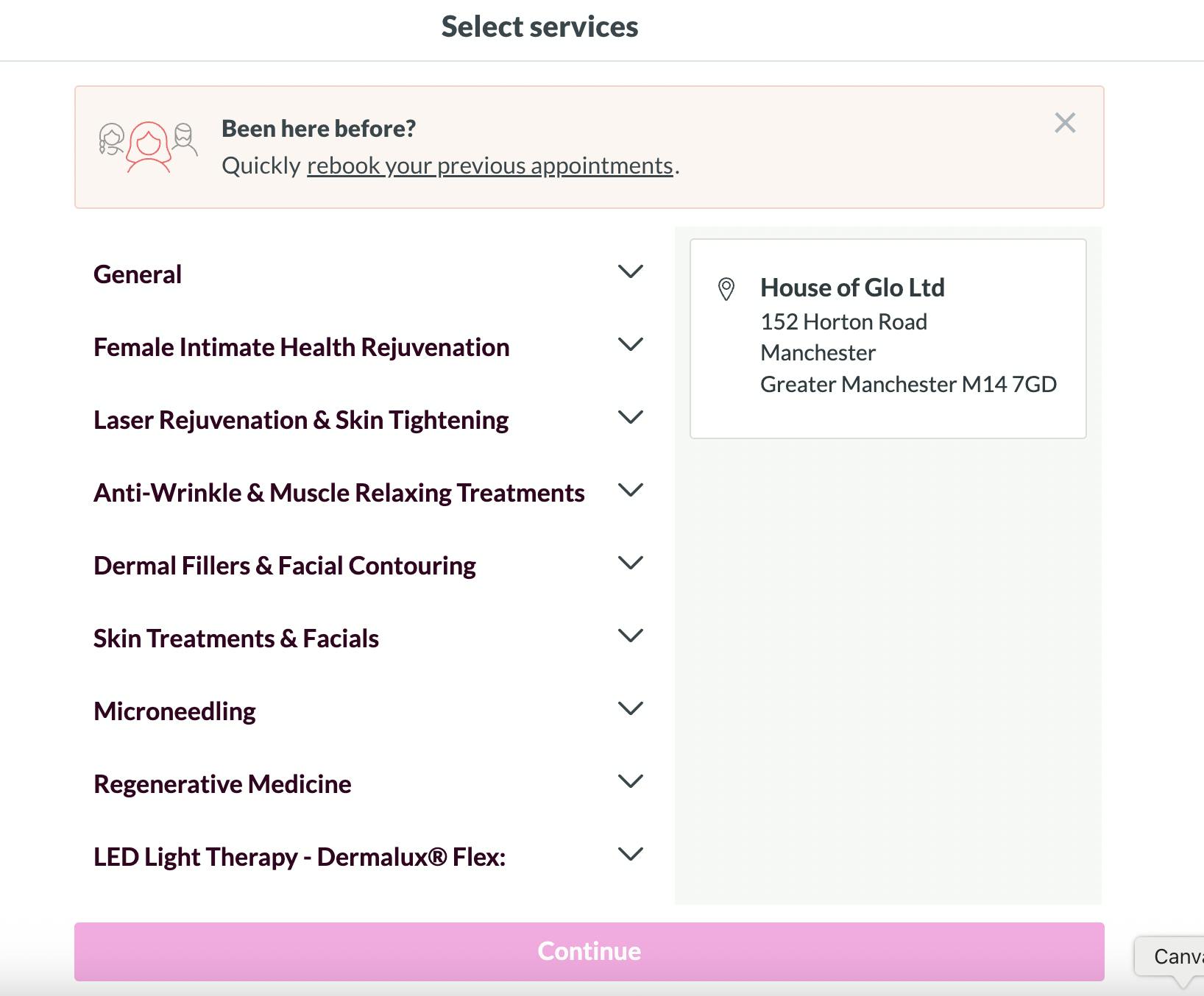
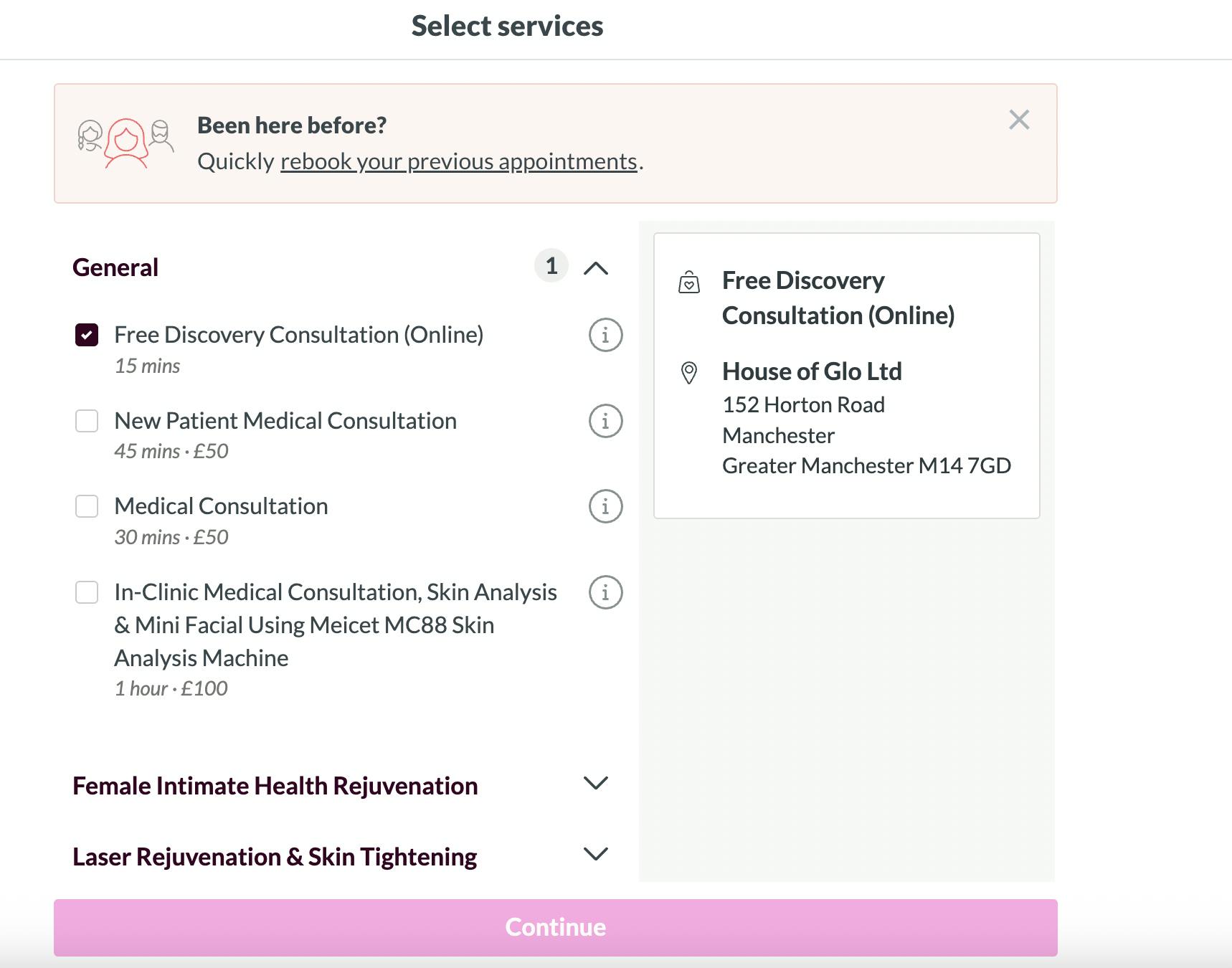
You don’t need to know exact names or have everything figured out. Just choose the option that feels closest to what you’re looking for right now.
If you’re unsure, a free consultation is always a safe place to start. It gives us time to talk things through properly and make decisions together.
If you later realise you’ve booked the wrong service, that’s completely okay -you can contact me anytime. We can easily adjust the appointment details if that happens.
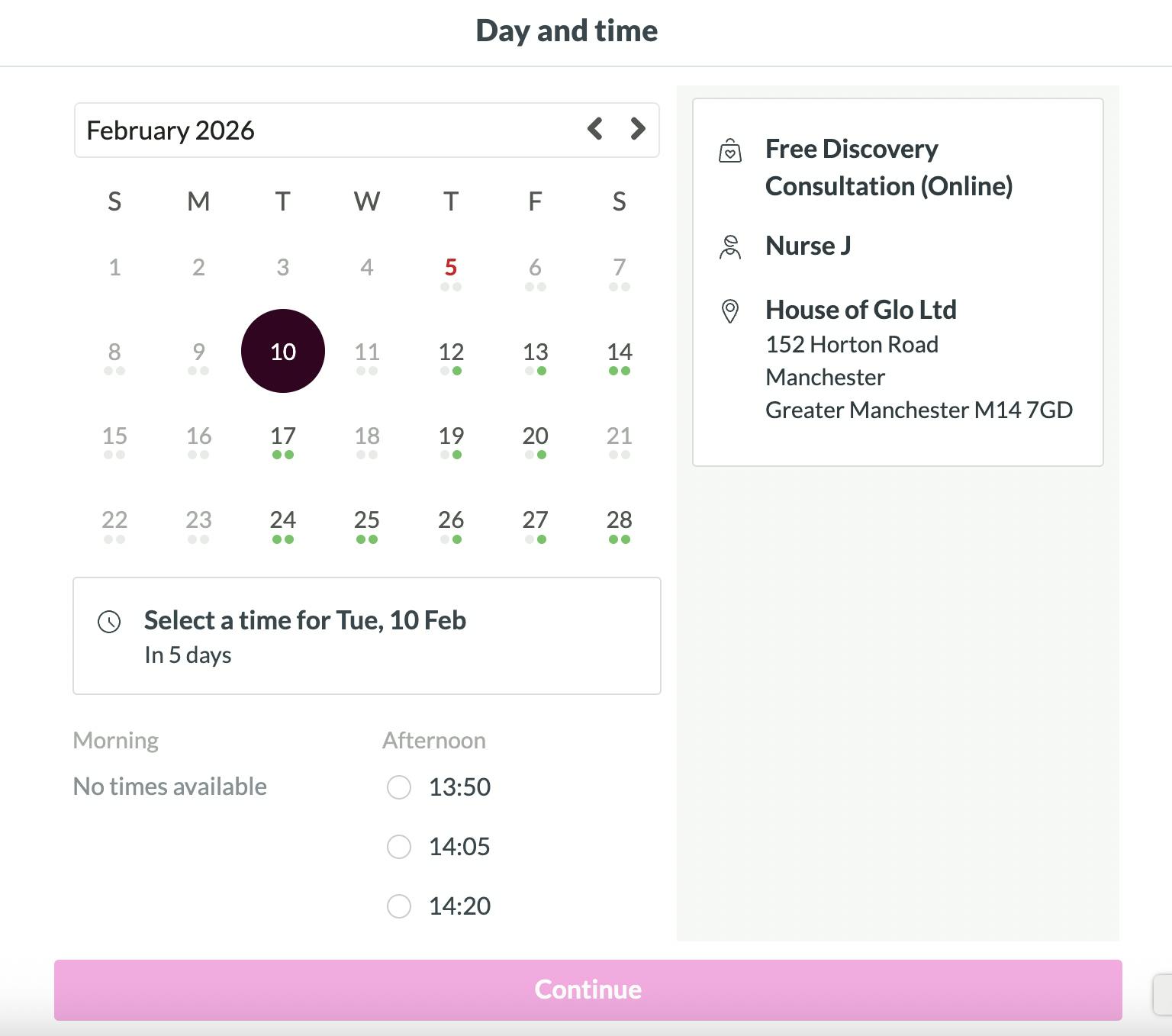
Once you’ve chosen a service, you’ll see the available dates and times in a calendar form.
Only appointments that are genuinely available will show here, so if you can see a slot, it’s free to book. Take your time and choose a date and time that works best for you.
If you can’t see a time that suits, it just means those appointments are currently full. If there isn’t a time that suits you, feel free to reach out to me and I may be able to accomodate it!
Our usual opening times:
Monday: By appointment only
Tuesday: 10:00 - 20:00
Wednesday: 10:00 - 16:00
Thursday: 12:00 - 20:00
Friday: 12:00 - 18:00
Saturday: By appointment only
Sunday: Closed
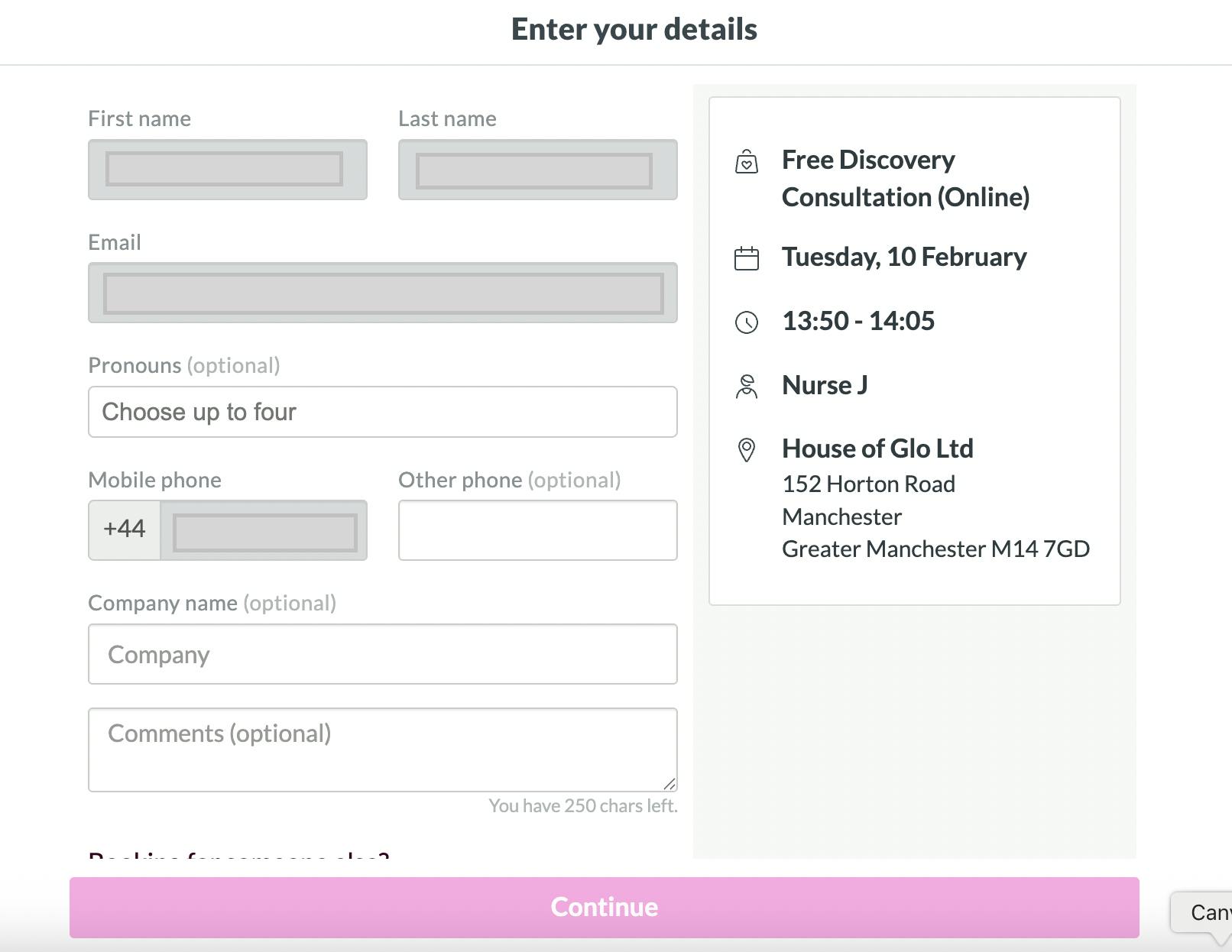
You’ll then be asked to create an account using your log in details from Facebook or Google, or you can simply use your phone number.
Enter your name, email address, and phone number. This is simply, so that we can confirm your appointment and contact you if needed.
You may also see important notes about your appointment at this stage, so please take a moment to read through these before continuing.
If a deposit or payment is required, this will be clearly shown before you confirm your booking. Nothing is processed without your approval.
Once you click confirm, your appointment is booked.
You’ll receive a confirmation email with all the details, including how to reschedule or cancel your appointment if needed.
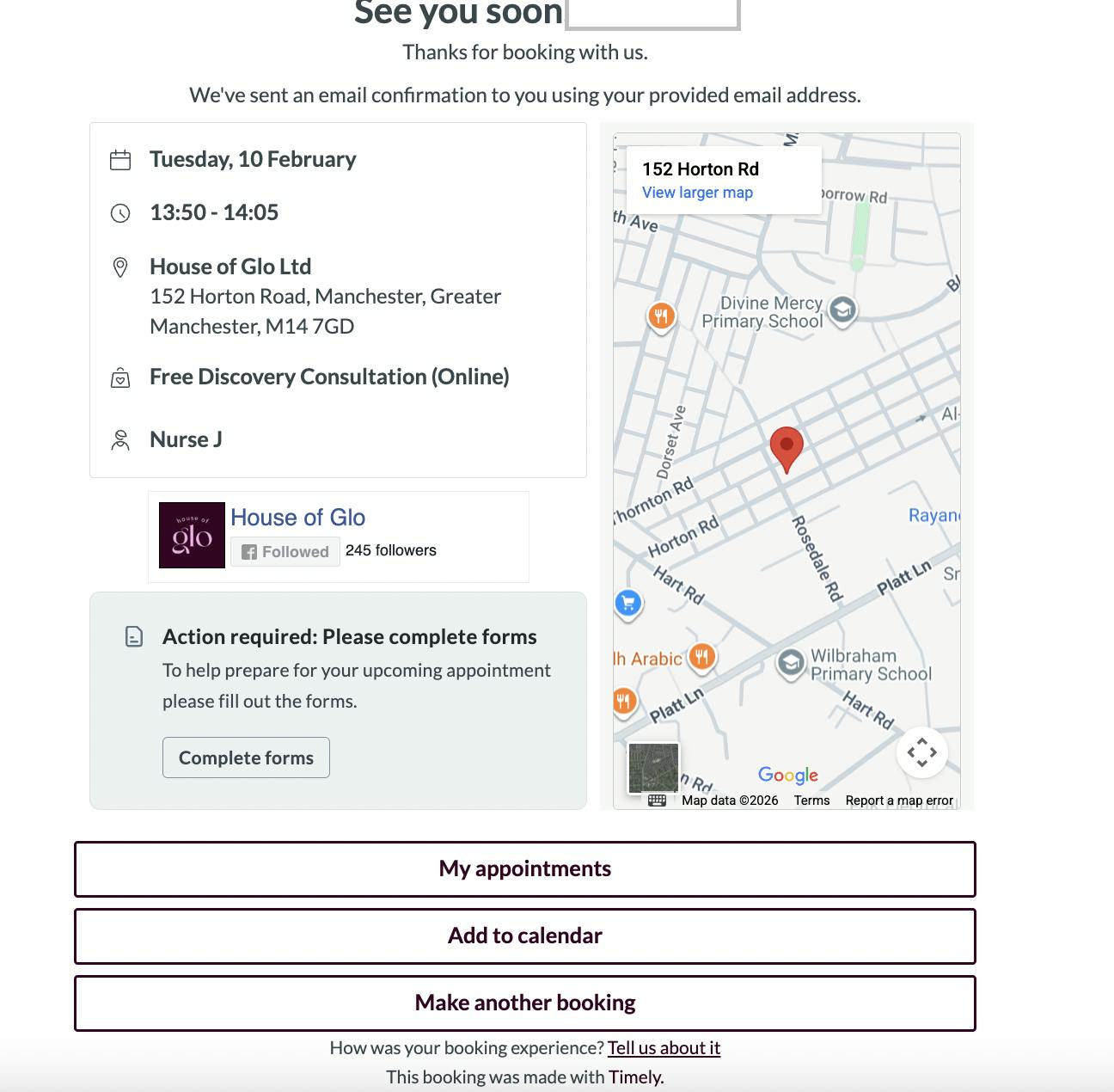
Your confirmation email allows you to manage your appointment if anything changes. If you cannot access the email, simple click this link and you will be able to see all upcoming and past appointments booked with House of Glo : https://bookings.gettimely.com/houseofglo/
And if you realise you’ve booked the wrong service or need a bit of help adjusting anything, please don’t stress. Just get in touch and I can help you sort it.
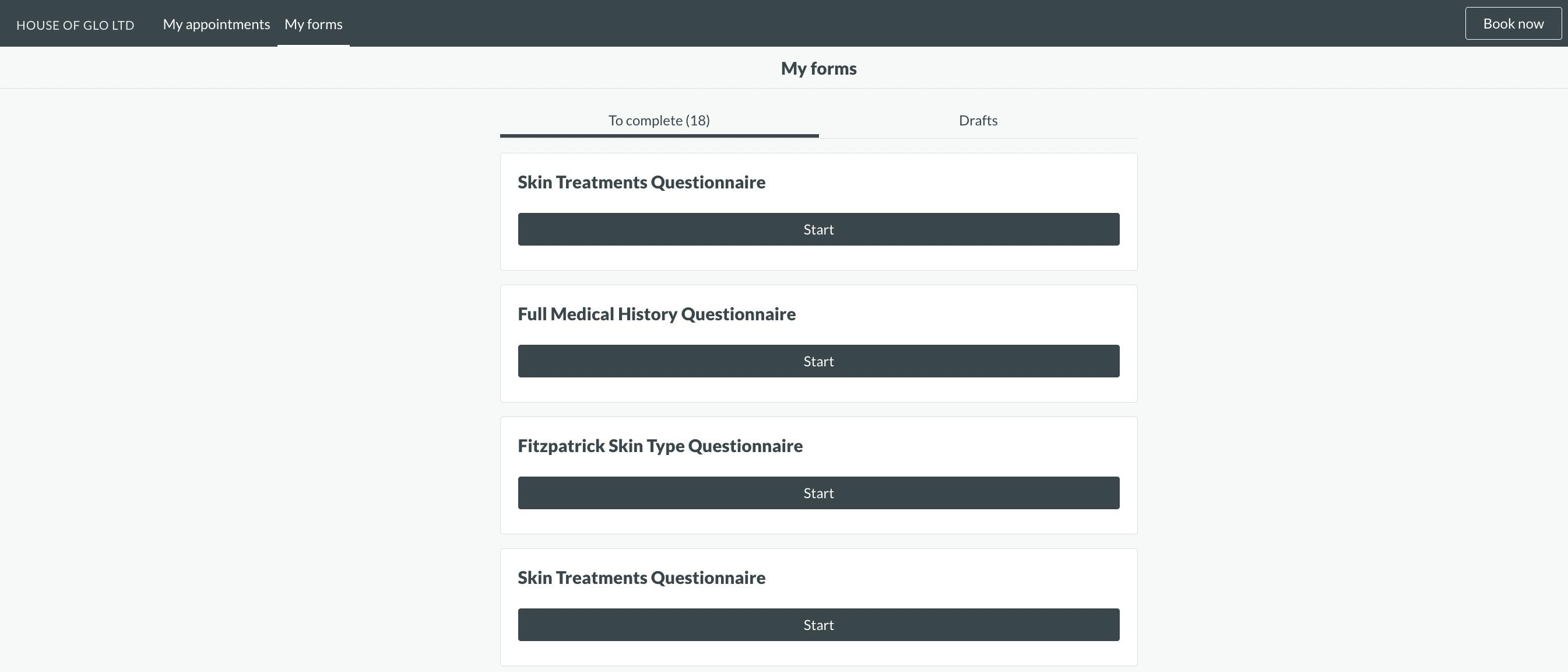
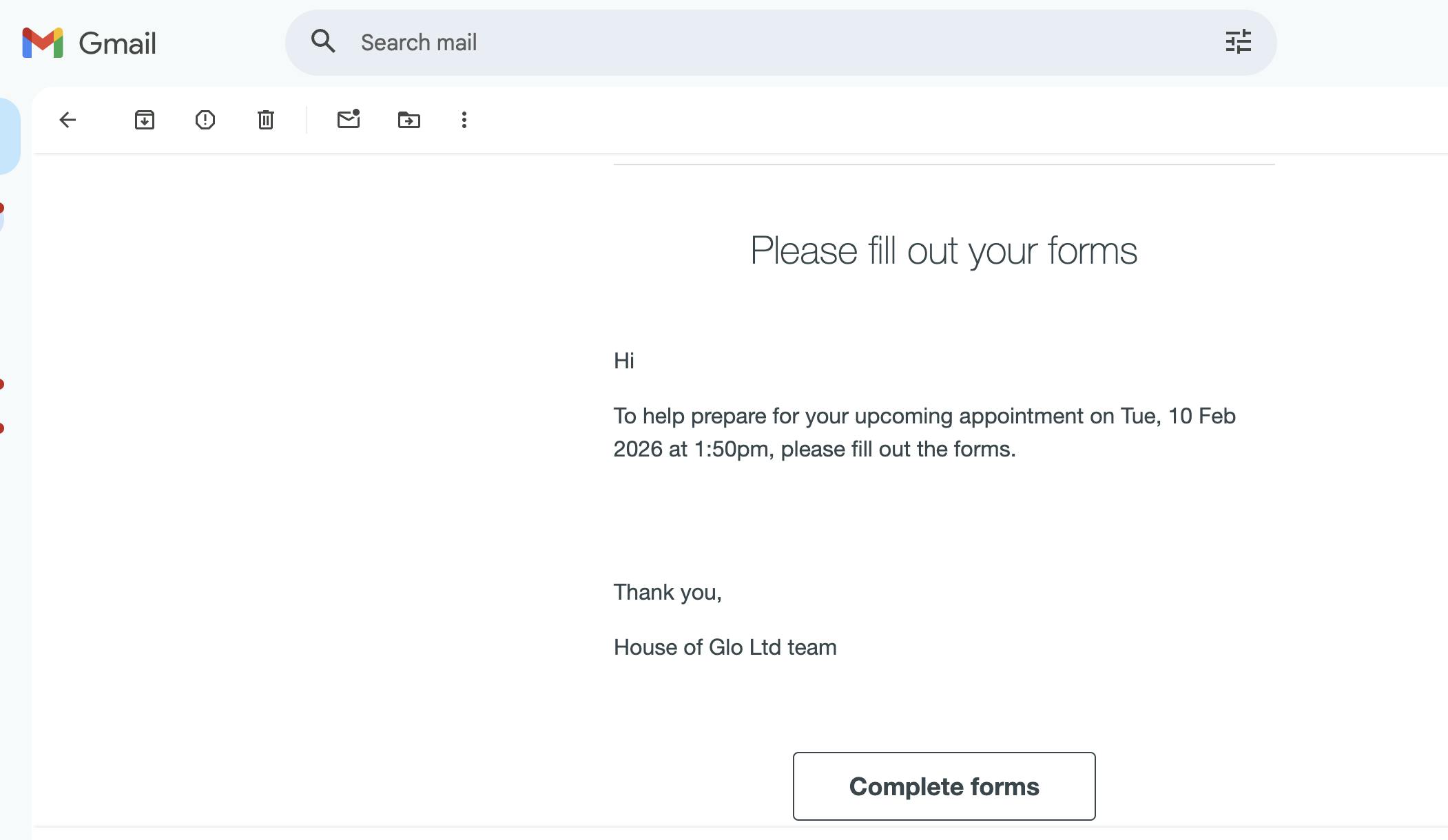
After booking, you can complete your consent forms online by either selecting 'fill out forms' in the action required box. You’ll also receive a link to complete your consent forms online. This includes forms such as a skin questionnaire and your medical history.
These forms are really important and must be completed before your appointment. They allow me to fully understand your skin, your health, and whether a treatment is safe and suitable for you.
Please take your time filling these out and answer everything honestly. If anything changes or you’re unsure about a question, we can always talk it through at your appointment!
If booking online still feels confusing or overwhelming, that’s completely okay.
If you ever need to, you can also use the links below to manage things directly:
View your appointments:
https://bookings.gettimely.com/houseofglo/
Update your personal details:
https://bookings.gettimely.com/houseofglo/details/update
Manage saved cards:
https://bookings.gettimely.com/houseofglo/cards
You’re always welcome to contact me and I can guide you through the process. Online booking is there to make things easier, not add pressure!
Stay in the glow - sign up to the House of Glo newsletter to receive exclusive offers, updates, and beauty tips straight to your inbox!